How do I make a Lorenzo Zurzolo Trend AI video?
Updated:
Short answer
Upload one clear, close photo of an adult with nobody else in it, pick the night place, the day place and an outfit, and MimicZip builds the two-shot scene. Check a 5-second bonus preview, then spend 1 credit on the 6-second 720p video and add your sound in TikTok. No prompt to write.
Putting your face in the two shots
- Open the template page. There is one box. Both shots are close-ups, so your face has to carry the video: use a sharp, front-facing photo of one adult, head and shoulders or closer. Pets, toys, anyone under 18 and group photos are not accepted. JPG, PNG or WebP, up to 10 MB.
- Choose the night place: a terrace with warm lamps (the default and the tested one), a dim living room, a rooftop with city lights, a balcony, a garden or an old-town street. Choose the day place: stand seats in the sun (the default), a school courtyard, a seaside promenade, a city park, an old-town street or a beach. Choose the outfit: your own clothes, a black sweater, a white tee, a navy shirt, a grey hoodie or a leather jacket. None of the choices changes the price.
- Pick 9:16 for TikTok, Reels and Shorts, or 16:9 for YouTube and desktop screens.
- Consent and sign-in. Tick the photo-consent box and log in with Google. Previews arrive inside a pack, so take one if you have no credits.
- Check the preview. It is watch-only, 5 seconds at 480p, with a PREVIEW badge. Look for your own face staying the same in both shots, and for no cigarette or second person.
- Render: 1 credit gives the 6-second 720p MP4 with no watermark, saved in My videos.
- Add your sound in TikTok.
Two shots, one cut
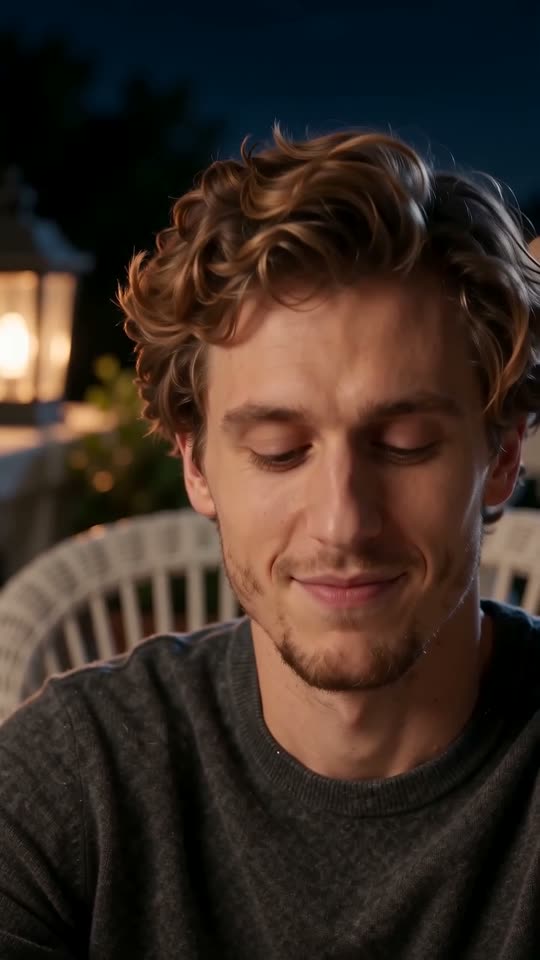
A fixed camera, no movement: you glance aside, close your eyes and tilt your head (0 to 1 second), smile lazily and murmur with your head tilted (1 to 3), straighten up and give a sly smirk into the lens (3 to 4), then a hard cut to the sun, where you talk quietly and glance left (4 to 5) and slowly turn to a side profile (5 to 6).
The hardest part for the AI is keeping your face the same across the hard cut and the lighting change, so a small drift in the second shot is a normal miss, not a failed render. Nothing is acted out with the hands.
Where it comes from
Download the MP4 or copy a share link from My videos. Our video recreates the single-picture part of @puffkten666’s post of 29 October 2026 (roughly seconds 2 to 8 of its 26); the rest of that post is a tutorial. The sound guide explains how to add yours.
MimicZip is independent and is not affiliated with TikTok, CapCut or the actor named in the trend.
Questions people ask
Do I need to write a prompt?
No. The two settings, the fixed camera and the order of the beats are fixed. You provide one photo and choose the places, the outfit and the format.
Can I close the page while it renders?
Yes. Rendering carries on at our end, and the finished video is saved under your account in My videos.
Which format should I pick?
Choose 9:16 for TikTok, Reels and Shorts, or 16:9 for YouTube and desktop. A bonus preview works in either shape.
Make your own Lorenzo Zurzolo Trend AI video
Upload one photo and make a 6-second HD video from $8.99. No subscription, and the full video has no watermark.
Make my video