Lorenzo Zurzolo Trend AI: CapCut vs AI, other tools and prompts
Updated:
Short answer
The Lorenzo Zurzolo trend spreads through a CapCut template called “Ai trend” (11 seconds, one photo), which runs inside its own app on its own plan. MimicZip generates a new 6-second clip on the web from one photo of an adult, with two recreated close-ups and bonus previews in every pack.
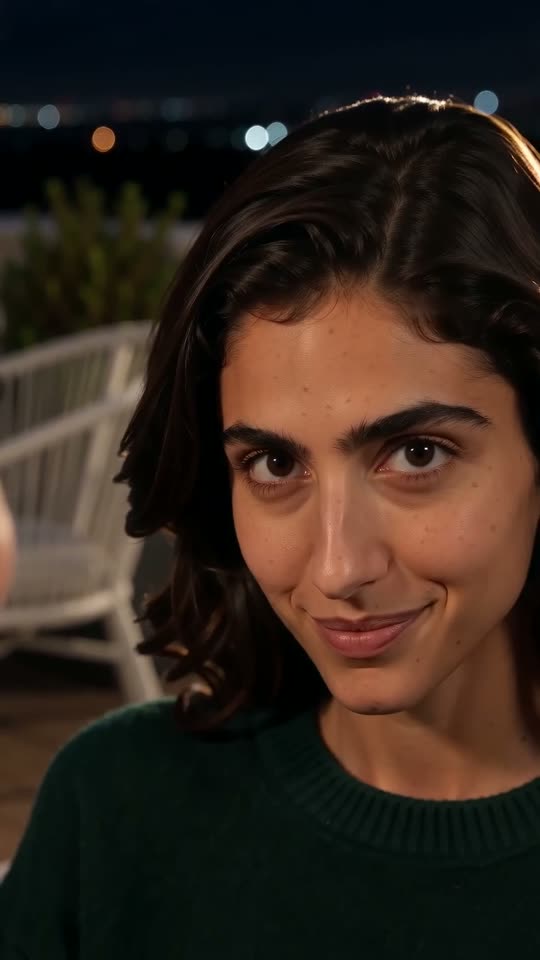
A template or a generated pair of shots
- Where it runs: the template route stays inside CapCut, on that app’s clips. MimicZip runs on the web and generates the night terrace, the sunlit stand and the head movement, with other places as alternatives.
- What it keeps: the template swaps a face into the original scene, so the result shows the series’ own picture. We do the opposite: we recreate the camera and the mood, so nothing from the series appears.
- What you upload: one photo of one adult, head and shoulders or closer, face front-facing.
- What comes back: a 6-second 720p clip that matches the single-picture part of @puffkten666’s post (roughly seconds 2 to 8 of its 26), with only your face on screen.
- Cost: CapCut has free and paid features, so check its current plans. Here 1 credit is one full video with no watermark, and each pack includes watch-only previews.
Choosing between them
A template suits you if you want your face inside the real scene and already use the app. MimicZip suits you if you want a clip with nothing from the series in it, made from one photo with nothing to edit. You can also generate here and trim the MP4 or add text in CapCut.
Lorenzo Zurzolo Trend AI vs general AI video tools: which one should I use?
General AI video tools give full control, but a face that stays yours across a night shot, a hard cut and a daylight shot has to be described by text alone. MimicZip does one job: one photo becomes the Lorenzo Zurzolo trend clip, with bonus previews and no prompt.
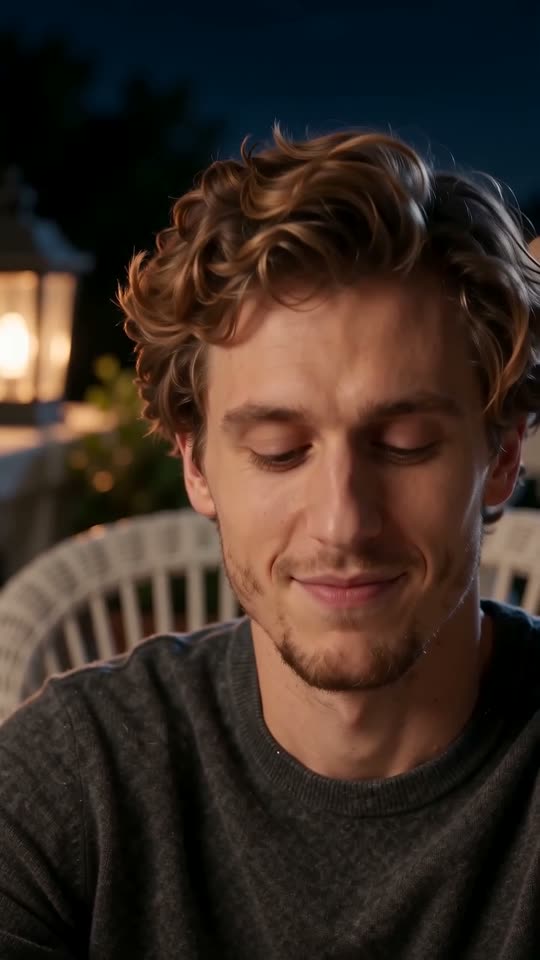
Where a prompt struggles with a cut
- What you type: a general tool wants a prompt and settings. MimicZip has no prompt box; you add one photo and choose the places, the outfit and the shape.
- One face, two lights: a general tool often draws a new face after a cut. Our scene is built around one photo and a short 6-second pair of shots.
- Calm acting: the trend is a slow head tilt and a smirk, which general tools tend to over-act with big gestures; ours keeps the hands out of the picture.
- Nothing borrowed: the prompt never names an actor or a series, which many tools filter anyway.
- Cost: general tools run on their own plans. MimicZip has packs from $8.99, 1 credit per clip and previews in each pack.
When a general tool is better
Use a general tool for your own story or full camera control. Use MimicZip when you want this exact pair of shots from your photo, fast. If you would rather write the prompt, see the guides for Kling, Veo and Seedance.
Lorenzo Zurzolo Trend AI prompt for Kling: a copyable prompt without names
Copy the prompt below into Kling and attach one photo of an adult. It covers the night close-up, the hard cut and the sunlit close-up, and asks for an instrumental with no voices, so you can add the sound later. It names no person, series, sound or account. Expect a few tries, or use MimicZip.
Copy this prompt
Image-to-video, 9:16, about 6 seconds.
Reference image 1 is the only person, an adult. Keep their face, skin tone, hair and age in every second.
Shot 1, 0 to 3.8 seconds: a fixed close-up at night on a quiet terrace at night lit by warm amber lamps, with a white wicker chair and green plants softly out of focus. The person glances to the left with pursed lips, closes their eyes and tilts their head, smiles lazily with half-closed eyes, then straightens up, narrows their eyes at the lens, lowers their head and looks up with a sly smirk. Nothing in their hands or at their mouth.
Hard cut at 3.8 seconds.
Shot 2, 3.8 to 6 seconds: a fixed close-up in bright sunshine in front of empty grey outdoor stand seats and green trees. The person talks quietly while looking left, blinks, looks back at the lens, then slowly turns their head to the left until it is almost in profile.
Nobody else is visible. No speech out loud, no lip-sync.
Audio: a slow, moody instrumental with soft strings. No vocals.
Photorealistic, cinematic, natural colour, no text, no subtitles, no logos, no watermark.
How to use it
- Attach one photo of an adult as image 1.
- Add your sound in TikTok afterwards. A text prompt cannot place each beat exactly, so expect to shift the sound.
- Leave names, sound titles and brands out. Tools can filter them, so the prompt describes the action instead.
- Tools change often, so check the length and aspect ratio your tool supports and adjust the first line.
Lorenzo Zurzolo Trend AI prompt for Veo: a copyable prompt without names
Copy the prompt below into Veo and attach one photo of an adult. It covers the night close-up, the hard cut and the sunlit close-up, and asks for an instrumental with no voices, so you can add the sound later. It names no person, series, sound or account. Expect a few tries, or use MimicZip.
Copy this prompt
A cinematic vertical video of about 6 seconds with two locked-off close-ups and one hard cut. The adult from the reference image, keeping their face, hair and skin tone, is the only person. First, at night on a quiet terrace at night lit by warm amber lamps, with a white wicker chair and green plants softly out of focus: they glance aside with pursed lips, close their eyes and tilt their head with a lazy smile, then straighten up, narrow their eyes at the lens and give a sly smirk. After about 4 seconds a hard cut to bright sunshine and empty grey outdoor stand seats with trees behind: they talk quietly, glance left, blink, look back at the lens and slowly turn their head until they are almost in profile. Nothing in their hands, nobody else on screen, nobody speaks out loud. A slow, moody instrumental score, no vocals. Photorealistic, no text, logos or watermark.
How to use it
- Attach one photo of an adult as image 1.
- Add your sound in TikTok afterwards. A text prompt cannot place each beat exactly, so expect to shift the sound.
- Leave names, sound titles and brands out. Tools can filter them, so the prompt describes the action instead.
- Tools change often, so check the length and aspect ratio your tool supports and adjust the first line.
Lorenzo Zurzolo Trend AI prompt for Seedance: a copyable prompt without names
Copy the prompt below into Seedance and attach one photo of an adult. It covers the night close-up, the hard cut and the sunlit close-up, and asks for an instrumental with no voices, so you can add the sound later. It names no person, series, sound or account. Expect a few tries, or use MimicZip.
Copy this prompt
Reference image 1 is the only person, an adult; keep their face and hair exactly. 9:16, 6 seconds, two fixed close-ups with a hard cut at 3.8 s.
0-0.7 s: night, a quiet terrace at night lit by warm amber lamps, with a white wicker chair and green plants softly out of focus; they look left with pursed lips, then close their eyes and tilt their head.
0.7-2.5 s: head tilted, eyes half closed, a lazy smile, lips moving softly.
2.5-3.8 s: head upright, eyes narrowed at the lens, then they lower their head and look up with a sly smirk.
3.8 s: hard cut to bright sun, empty grey outdoor stand seats and green trees.
3.8-5.2 s: they talk quietly, glance left, blink and look back at the lens.
5.2-6 s: they slowly turn their head to the left, almost in profile.
Nothing in their hands, no one else visible, no speech aloud. Slow instrumental audio, no vocals. Photorealistic, no text, logos or watermark.
How to use it
- Attach one photo of an adult as image 1.
- Add your sound in TikTok afterwards. A text prompt cannot place each beat exactly, so expect to shift the sound.
- Leave names, sound titles and brands out. Tools can filter them, so the prompt describes the action instead.
- Tools change often, so check the length and aspect ratio your tool supports and adjust the first line.
Questions people ask
Is Lorenzo Zurzolo Trend AI made by CapCut or TikTok?
No. MimicZip is an independent tool, not made, endorsed or licensed by CapCut, TikTok, Lorenzo Zurzolo or the people who posted the trend.
Can I use both?
Yes. Download the MP4, open it in CapCut and trim it, add text or add the sound.
Which one is cheaper?
It depends on what you have. If you like the app and its templates, a template costs little. With only a photo, MimicZip starts at $8.99 and includes bonus previews with every pack.
Does Lorenzo Zurzolo Trend AI use a general AI model?
Yes. A general video model generates the frames through an API, steered by our fixed two-shot scene and your photo. You will find the model named in the Terms of Service.
Can I write my own prompt on this site?
No. The scene is fixed and there is no prompt box. That keeps the two shots in order and keeps everything generic.
Why not just use a general tool?
You can. A general tool is the better pick when you want to direct every shot. This site is for people who want the trend clip finished from a single photo, with bonus previews in every pack.
Why does the prompt not name the actor or the series?
Video tools filter names and lyrics, and a named prompt can be refused or can infringe rights. This page is independent and not affiliated with CapCut, the actor or the people who posted the trend.
Will the result match the trend exactly?
Not exactly. Faces, motion and timing change with the tool, the model version and your photo. Treat the prompt as a starting point.
Do I have to write a prompt on this site?
No. MimicZip uses a fixed scene, so you only add a photo, pick an option and press the make button.
Make your own Lorenzo Zurzolo Trend AI video
Upload one photo and make a 6-second HD video from $8.99. No subscription, and the full video has no watermark.
Make my video