Lorenzo Zurzolo Trend AI: price, photos, free options and FAQ
Updated:
Short answer
No subscription, and credits never expire. The Lorenzo Zurzolo trend costs 1 credit per 6-second 720p clip with no watermark: a pack of 1 costs $8.99, 3 cost $16.99, 5 cost $25.99. Each pack includes watch-only previews.
What the credit pays for
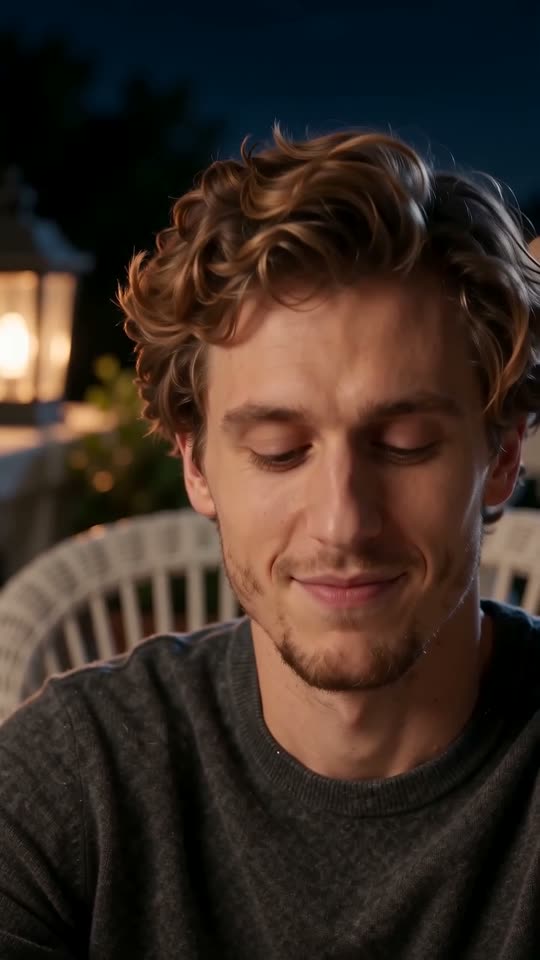
A credit pays for one generated pair of close-ups: the night shot, the hard cut and the sunlit shot, 6 seconds in all. The places (six for the night, six for the day) and the outfit (six, from your clothes to a leather jacket) make no difference to the price, which comes to about $8.99, $5.66 or $5.20 a clip.
A short clip leaves room for a second try
The clip is only 6 seconds, so it is among the cheapest to retry. If your face drifts after the hard cut, a second run with a sharper photo can fix it. With 3 or 5 videos in a pack you can try another photo or place, and credits you do not use carry over to any template on MimicZip.
Previews, refunds, renewals
- Bundled previews: 1 ($8.99), 3 ($16.99) and 5 ($25.99). They are not free and cannot be downloaded.
- If a run fails, the credit comes back without a request.
- Packs you have not used qualify for a refund in the first 7 days (refund policy); spent credits do not.
- No renewal, ever.
Is there a free Lorenzo Zurzolo Trend AI video generator?
No. The Lorenzo Zurzolo trend has no free version and no free preview on MimicZip. One finished 6-second 720p two-shot clip from one adult photo costs 1 credit, and packs start at $8.99. Every pack includes watch-only previews for checking your face first. No subscription.
Where the trend started, and what is free there
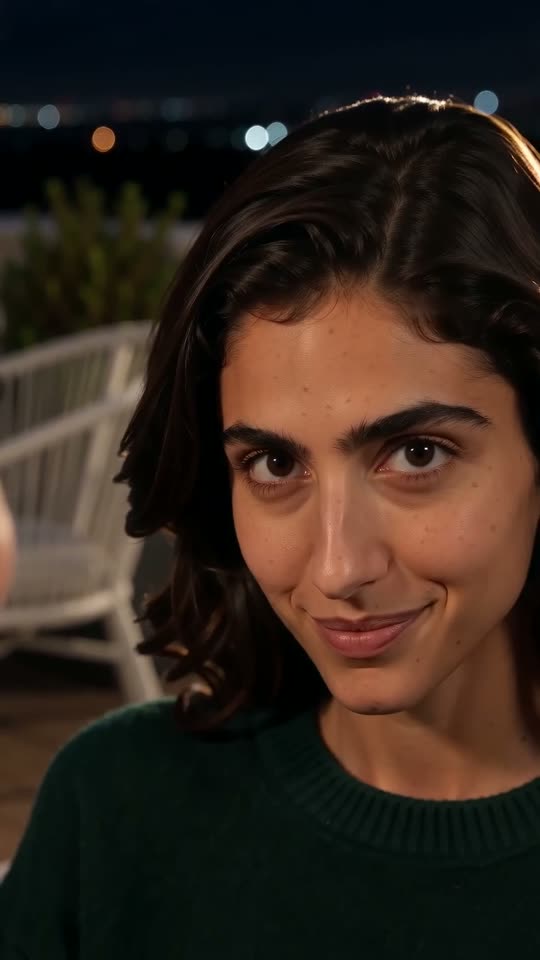
People make this trend with a CapCut template called “Ai trend” (11 seconds, one photo), and most posts show the result above or below the original scene. A template runs inside its own app on its own plan, which we have not checked today, so look there for what is free. Every post we found is a tutorial published on 29 October 2026, so there are very few finished clips to compare with.
Our clip is 6 seconds, not the 11 of the template, because we recreate only the two shots that carry the trend: the night close-up and the sunlit stand. MimicZip generates them from one photo, with no footage of the series.
What a Lorenzo Zurzolo run takes
- One close photo of one adult: face sharp and front-facing, nobody else in it. Pets, toys and anyone under 18 are not accepted.
- Free choices: 9:16 or 16:9, one of six night places (terrace, living room, rooftop and more), one of six day places (stand seats, school courtyard, seaside promenade and more) and one of six outfits (your own clothes, black sweater, white tee, navy shirt and more).
- Cost: 1 credit for the 6-second 720p clip, without a watermark. $8.99 buys 1 video, $16.99 buys 3 and $25.99 buys 5.
- Previews: 1 in the $8.99 pack, 3 in the $16.99 pack and 5 in the $25.99 pack. A preview is the same 5-second scene at 480p, with a PREVIEW badge, and cannot be downloaded.
Why this is a paid tool
Each render uses a paid AI video model. A failed run returns its credit automatically, credits never expire, nothing renews and an unused pack can be refunded within 7 days. MimicZip is independent: your video is generated from your own photo and is not made, endorsed or licensed by the actor or the people who posted the trend.
What photo works for a Lorenzo Zurzolo Trend AI video?
Use one clear photo of an adult with a large face, looking at the camera in good light. Both shots are close-ups, so your face carries the whole video. Files must be JPG, PNG or WebP, up to 10 MB, with each side between 300 and 6000 pixels.
File rules
- JPG, PNG or WebP, up to 10 MB.
- Each side between 300 and 6000 pixels.
- Width-to-height ratio between 0.4 and 2.5.
What makes a good photo
- One adult, facing the camera.
- Good light and a sharp face; no sunglasses, masks or hats that hide the eyes.
- Head and shoulders or closer works best, because the video is two close-ups.
- A calm, relaxed expression, since the video changes it to a half-closed smile and a smirk.
- A plain top without big prints or logos, which carries through both shots.
Who you may upload
Only adults who agreed. This template does not take pets, toys or drawings, and it never takes anyone under 18, celebrities or famous characters. A screenshot from a series is not accepted. See the photo consent rules and the acceptable use policy.
Can I change the places or the outfit in a Lorenzo Zurzolo Trend AI video?
Yes, from presets. Night: a terrace (the default), a living room, a rooftop, a balcony with string lights, a garden with lamps or an old-town street. Day: stand seats (the default), a school courtyard, a seaside promenade, a city park, a sunny old-town street or a beach. Outfits: the clothes from your photo (the default), a black sweater, a white tee, a navy shirt, a grey hoodie or a leather jacket. The camera, the head movement and the timing stay the same, and the options do not change the price.
Night places
- Terrace (default): warm amber lamps, a white wicker chair and green plants out of focus.
- Living room: one warm table lamp, curtains and a bookshelf.
- Rooftop: soft city lights and a cool blue sky.
- Balcony with string lights: a dark iron railing, warm lights and soft city glow.
- Garden with lamps: soft warm garden lamps, green plants and a wooden fence.
- Old-town street: warm shop-window lights and plain stone buildings.
Day places
- Stand seats (default): empty grey rows in bright sunshine with trees behind.
- School courtyard: wide stone steps and green trees.
- Seaside promenade: a white railing and the blue sea.
- City park: a gravel path and green trees in the sun.
- Sunny old-town street: pale plain stone buildings in bright light.
- Beach: golden sand and a calm blue sea.
Outfits
- Your own clothes (default): exactly what you wear in the photo.
- Black sweater: a plain black crew-neck.
- White tee: a plain white t-shirt.
- Navy shirt: a plain navy button-up.
- Grey hoodie: a plain grey hoodie.
- Leather jacket: a plain black leather jacket over a white t-shirt.
What stays fixed
The head tilt, the smirk, the hard cut and the side turn are the same in every option.
Questions people ask
Do credits expire?
No. A credit is yours until you spend it.
Will I be charged again automatically?
No. There is no recurring billing; each pack is paid once.
Can I get a refund?
Only an unused pack, inside 7 days. Once a credit has produced a clip, it is not refundable.
What does a failed video cost?
Nothing. The credit is returned to you automatically when a generation fails.
Do I need a credit card for the free preview?
No card is asked for at login or when you add your photo, since there is no free preview. You pay once, at checkout, when you choose a pack.
Is the CapCut template free, then?
That depends on CapCut’s own plan, which we have not checked. It makes the template’s version; we make a separate 6-second video from your photo.
Is the preview the whole clip?
Close. A preview shows the same 5-second scene at 480p instead of 720p, so you can check that your face holds. It carries a badge and cannot be downloaded.
Do I need a full-body photo?
No. The video only shows your head and shoulders, so a close photo is better than a full-body one.
Does the photo need a night or terrace background?
No. Both places are generated, so any background works.
How long is my photo kept?
It is stored privately and deleted automatically 14 days after upload.
Do the options cost more?
No. The price is the same for every option.
Are the options tested?
The default places and outfit are the ones we tested; the others are marked New in the generator and have not been run on their own yet.
Can I type my own place?
No. This template has presets only, with no free-text prompt.
Make your own Lorenzo Zurzolo Trend AI video
Upload one photo and make a 6-second HD video from $8.99. No subscription, and the full video has no watermark.
Make my video